NDrive Gulf
Click ‘More’ →¤ OUR PITCH ¤
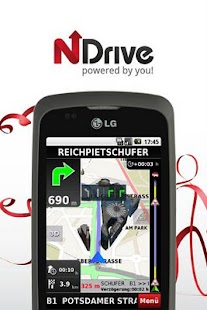
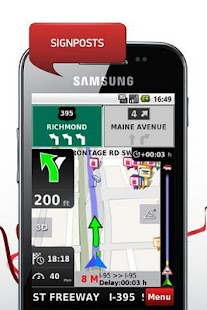
~ Straightforward Navigation ~With the latest maps from TomTom (June 2012) NDrive 11's professionally enhanced routing algorithms and award winning software, navigation from A to B has never been more effortless.
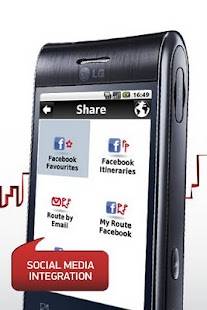
~ Loads of features ~NDrive 11 brings innovative and cutting-edge features for people serious about navigation – Facebook sharing and Foursquare check-in, streaming weather, and more.
~ Everything you need ~Our market leading Android navigation showcases fluid GPS connectivity.
With guidance amplified by Google™ search, NDrive leaves you well on your way - and always on time.
~ Act now ~Join our 500,000+ satisfied Android users who have already transformed their smartphones into a powerful turn-by-turn navigation device with NDrive 11.
¤ WHAT’S INSIDE?
¤
Our ‘NDrive Gulf’ Application Includes the Following Countries:» Saudi Arabia, United Arab Emirates, Kuwait, Bahrein, Qatar, and Oman
¤ HOW TO GET IT?
¤
~ Follow our 3 step process ~1st » Start the installation by getting NDrive from Android Market (6MB)
2nd » Run once to complete the installation – it’s all automated (60MB)
3rd » Download your maps to SD card (50MB-2GB)
NDrive 11 is compatible with all Android versions and screen sizes.
Since all maps are stored on your device (on-board), the application can navigate accurately without internet Wi-Fi, 3G, or 4G connections.
To ensure the integrity of this NDrive application, we store it on your phone’s internal memory; move to SD is not available.
~ For more information ~» Visit us @ NDrive (www.NDrive.com)» Join us @ Facebook (www.tinyurl.com/NDriveFB)» Find us @ Twitter (www.tinyurl.com/NDriveTW)
About NDrive Gulf
- Package name (App ID)
- com.ndrive.androidgulf
- Available on
- Google Play
- Price
- Free
- Version
- v11.4.06
- Developer
- Garmin Würzburg GmbH
Looking for the NDrive Gulf APK?
The safest way to get NDrive Gulf (com.ndrive.androidgulf) on your Android device is to install it directly from Google Play — you'll always get the latest official version, automatic updates, and no risk of modified or infected APK files from third-party sites.
Social Features
Connect and share with friends and the community.
Weather Features
Get accurate weather forecasts and real-time updates.
Fitness Tracking
Track your workouts and monitor your health metrics.
See NDrive Gulf in Action
Frequently Asked Questions
Is NDrive Gulf free?
Yes, NDrive Gulf is free to download and install on Android through Google Play.
How do I install NDrive Gulf on Android?
Open Google Play on your Android phone or tablet, search for NDrive Gulf by Garmin Würzburg GmbH or tap the Google Play button on this page, then tap Install. The app downloads and installs automatically.
What is com.ndrive.androidgulf?
com.ndrive.androidgulf is the App ID (package name) of NDrive Gulf on Google Play. Every Android app has a unique package name, and it is the safest way to verify you are installing the official app.
Is NDrive Gulf safe to download?
Installing NDrive Gulf from Google Play is the safest option: you get the official version published by Garmin Würzburg GmbH, verified by Google Play Protect, with automatic updates. Avoid APK files from unofficial third-party sites.
Get NDrive Gulf Today
NDrive Gulf for Android — free download on Google Play.
Compatible with Android phones and tablets — available on Google Play.
Ask AI about this app
Get instant answers about features, tips and more from popular AI assistants.